
Lawn care website examples: 8 things a good one has
This isn't a gallery. It's eight things a lawn care website should have, each one shown on a real site I built for a one-man lawn business in Sebastian, Florida.

What should a lawn care website have? A few plain things, done well. It names the town and the service in the headline. It shows prices. It puts a call button on every screen. It has a page for each town you really work in, names the same towns as your Google profile, tells the truth about what you do and don't do, and lets people send a photo of the job.
Number 7 covers two fertilizer rules, one from the state and one from the City of Sebastian, that I think belong on a lawn site here.
- 1. A headline that names the town and the service
- 2. Prices on the page
- 3. A call button that stays on the screen
- 4. One page for the job other crews turn down
- 5. A page for each town you really work in
- 6. A service area set up the way Google asks
- 7. A straight answer about fertilizer
- 8. Text people can read, and a way to send a photo
I build websites and manage Google Business Profiles for small businesses in Sebastian, Vero Beach and up into Brevard County. One of those sites is Aiden's Lawn & Landscape, a one-man lawn and yard cleanup business in Sebastian. I use it as the example all the way through, because I can show you what's on it and why. The same eight things apply to a landscaping website.
When I searched "lawn care website examples" on November 23, 2026, the first page of Google was mostly galleries: design agencies, template sites, a Dribbble page and a Pinterest board. Everything I say about Aiden's site, I checked on the live site that same day. Where I'm giving my opinion, I say so.
1. A headline that names the town and the service
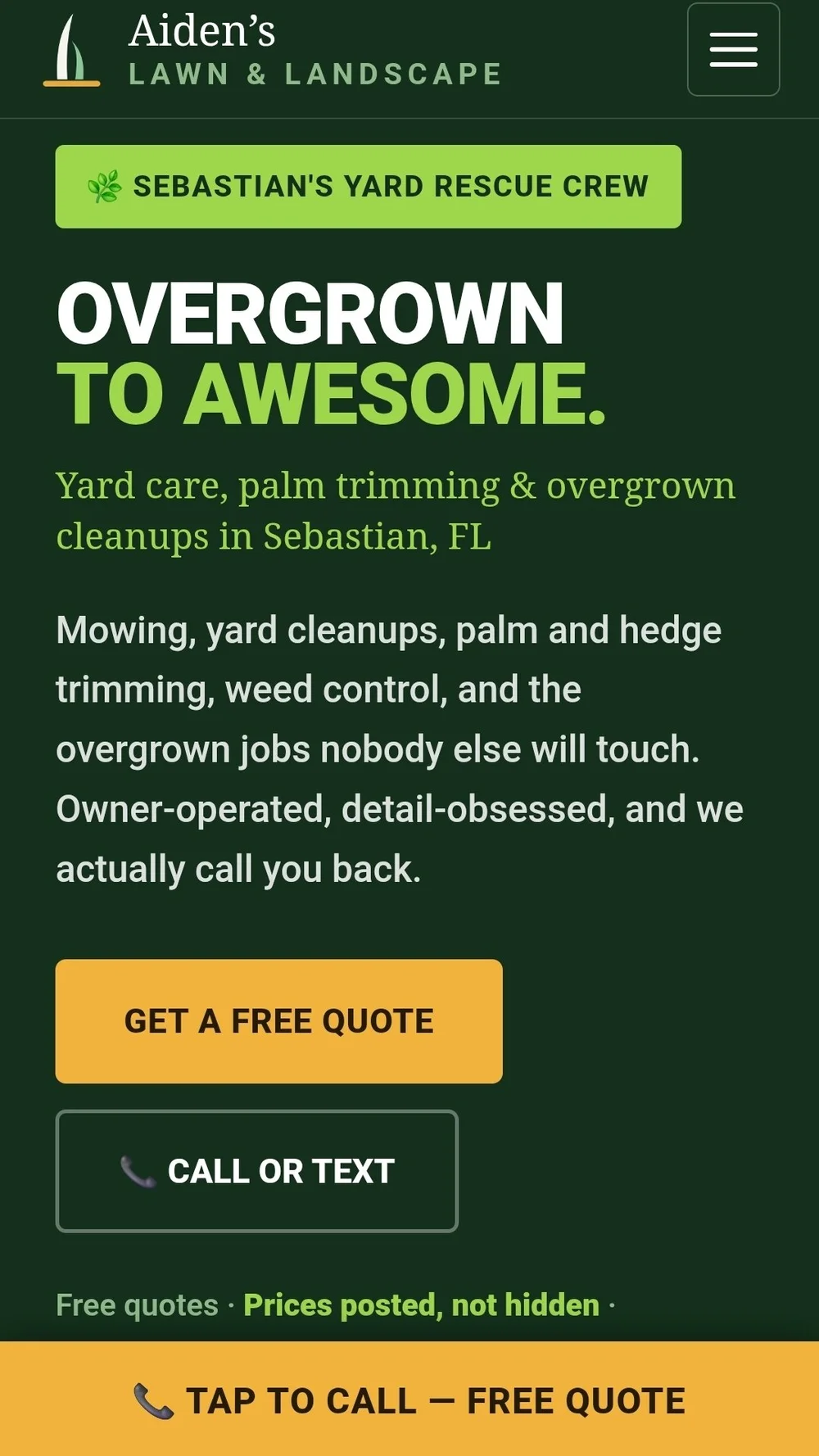
The first thing on the page should tell a stranger two things: what you do and where you do it. On Aiden's home page, the headline ends with "Lawn care, palm trimming & overgrown cleanups in Sebastian, FL."[1]
In my view, that one line does more work than a slogan. A homeowner knows right away that they're in the right place. "Quality you can trust" could be any business in any town.
2. Prices on the page
Aiden's has a page called "Services & real prices." It lists starting prices for his mowing plans, yard cleanups, palm trimming and bush trimming.[1] I'm not repeating the numbers here because they're his to change.
In my experience, published prices help both sides. They prove your pricing is honest instead of just saying so. They save you from calls with people who were never going to book. And they save the customer from having to call just to find out what something costs.
You don't need a price for every job. A starting price and a plain line about what changes it are enough. I wrote more about why I did this in the pricing section of the Aiden's Lawn & Landscape case study.
3. A call button that stays on the screen
Most people who need a lawn cut are standing in the yard with a phone in their hand. That's my experience, not a statistic. So the phone number on a lawn site should be a button, and it should never scroll away.
On Aiden's site the number is a tap-to-call link, and it sits in a bar that stays on screen as you scroll.[1] Check yours on your own phone. Tap the number. If nothing happens, or if it dials the wrong number, that's the first thing to fix. I once found a painting company whose estimate buttons dialed the wrong number, and I wrote that up in the painting company website case study.
4. One page for the job other crews turn down
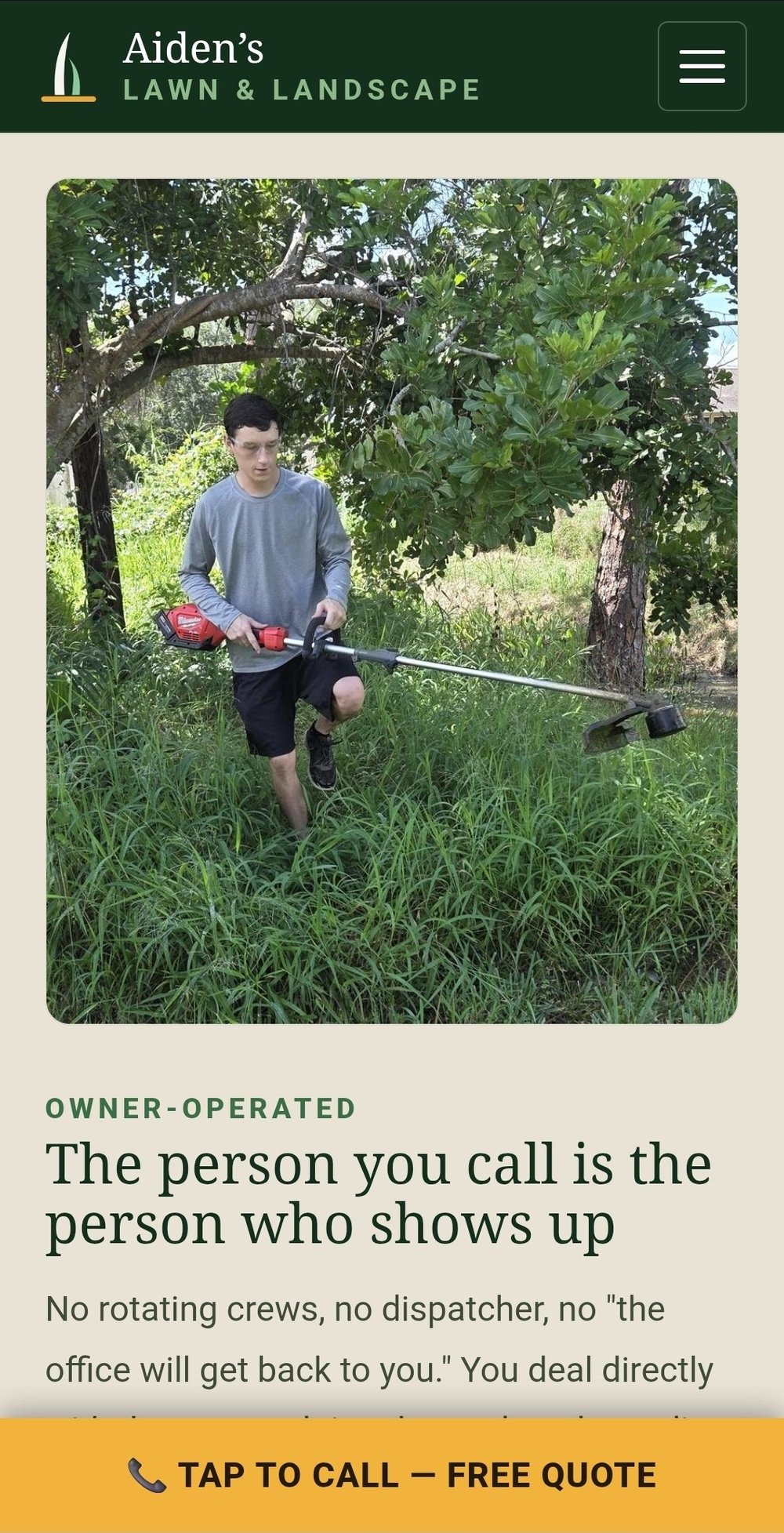
In my experience, most lawn sites lead with "lawn care." When I researched Aiden's market before the build, none of the competitors I found spoke to the person whose yard got away from them. Aiden's has a full page for overgrown yard cleanup in Sebastian.[1] It's written around the situation the customer is in, not around a list of services.
Your version might be a different job: vacant lots, rental turnovers, palm trimming, HOA work. Pick the one you're glad to take and that others pass on, and give it its own page. The case study explains how that page was planned.
5. A page for each town you really work in
Aiden's has separate pages for Sebastian Highlands, Roseland, Vero Lake Estates, Fellsmere, and one for Barefoot Bay and Micco.[1] Each one is about lawn care in that place. None of them is a copy of another with the town name swapped.
Only make a page for a town you'll actually drive to. A page for a town you never work in is a promise you won't keep. In the case study I show what Google's search data showed the week the first town page went live, along with the reasons not to read too much into one week.
6. A service area set up the way Google asks
A lawn business goes to the customer. Google calls that a service-area business: "A business that visits or delivers to customers directly but doesn't serve customers at their business address."[2] Google's help pages say three things about it. In my experience, many owners miss them:
- Hide your home address. Google says "If you're a service-area business, you should hide your business address from customers."[3]
- List the areas you serve. "You can set up to 20 service areas based on the cities, postal codes, or other areas you serve."[2]
- Keep it close to home. "The boundaries of your profile's overall service area shouldn't extend farther than about 2 hours of driving time from where your business is based."[3]
Your website and your Google profile should name the same towns. If the profile lists six towns and the site only mentions one, fix the site. If your profile isn't finished, start with the Google profile checklist most local businesses never finish.
7. A straight answer about fertilizer
In my view, a Florida lawn site should differ from one in other states here. I'd like to see more of them do it. Florida requires a state certification to apply commercial fertilizer to urban landscapes, and some cities and counties limit when fertilizer can go down.
State law says: "Beginning January 1, 2014, any person applying commercial fertilizer to an urban landscape must be certified under this section."[4] The University of Florida's program page explains it in plain words. The certification "is required by Florida law to apply fertilizer commercially ('for-hire') on residential or commercial properties," and "Each individual fertilizer applicator must have this certification."[5]
The same law has an exemption: "Yard workers who apply fertilizer only to individual residential properties using fertilizer and equipment provided by the residential property owner or resident are exempt from the requirements of this section."[4]
Sebastian adds a summer rule. The city code sets a "prohibited application period" that "means June 1 through September 30," plus times when certain storm and flood watches or warnings are in effect. During it, "No applicator shall apply fertilizers containing nitrogen and/or phosphorus to turf and/or landscape plants." The code also lists exemptions, such as farms and golf courses.[6]
That rule is for inside the City of Sebastian. Other cities and counties may have their own rules, or none, so check the one where you work. I build websites. I'm not a lawyer, and this isn't legal advice.
Here's what I'd put on the site:
- If you fertilize, say that you hold the state certification, if you do. If your city or county has a summer rule, say what you do during it.
- If you don't fertilize, leave it off the list. Aiden's site lists only the services he offers, and fertilizing isn't one of them.[1] A short list of services you really offer is better than a long one you can't back up.
My rule of thumb: the website should never be more impressive than the business is ready to be. Every service on the page is a promise.
8. Text people can read, and a way to send a photo
Aiden's site was built to be easy to read, including for older homeowners. The body text on his home page is 17 pixels, and when I measured it on November 23, 2026, nothing visible on that page was smaller than 14 pixels.[1]
His contact form also has three photo upload fields.[1] In my experience, someone with an overgrown yard often doesn't know what to call the job. A photo answers the question for them, and it lets him quote without a wasted trip.
What a small lawn care site doesn't need
This part is my opinion. A one-truck lawn business can skip most of what the big template sites push:
- A dozen pages. Aiden's started with five. Town pages came later.
- Stock photos of perfect lawns. Your own phone photos of real jobs are more believable.
- A blog you won't keep up. An empty blog with one post from last year looks worse than no blog.
- Claims you can't keep on your worst day. "Same-day service" is only worth saying if it's true in July.
What a website from me costs
My prices are published on my price list for websites and Google profile setup. A Starter website is $800, one time, for three pages. Setting up a Google Business Profile on its own is $300, one time. Extra pages, such as town pages, are $200 each.[7] A site the size of Aiden's today, with its town pages, would cost more than a Starter, and the price list shows each option.
A website doesn't guarantee calls, and nobody can promise you a ranking. What it can do is make sure that when someone finds you, they see the town, the service, the price and a button to call.
Questions people ask about lawn care websites
What should a lawn care website have?
In my view: a headline with your town and service, prices or starting prices, a tap-to-call button that stays on screen, a page for each town you really serve, an honest list of services and a contact form that takes photos.
Should a lawn care business show its address on Google?
If you go to the customer and nobody comes to you, no. Google says "If you're a service-area business, you should hide your business address from customers."[3] List the towns you serve instead.
How many service areas can I list on my Google Business Profile?
Google says "You can set up to 20 service areas based on the cities, postal codes, or other areas you serve."[2]
Do I need a license to fertilize lawns for pay in Florida?
Florida calls it a certification, not a license. The statute says "any person applying commercial fertilizer to an urban landscape must be certified under this section."[4] The same section exempts yard workers who apply fertilizer only at individual homes, using the owner's or resident's own fertilizer and equipment. Your city or county may add its own rules, so check with them. This isn't legal advice.
Do I need a different page for every town?
Only for towns you really work in. Each page should be about that place, not a copy with the name swapped.
If you run a lawn business near here
If you only do one thing today, open your site on your phone and tap your own number.
Text me your business name at (772) 999-1354. I'll look at your website and your Google profile and tell you which of these eight things are missing. The full story of how Aiden's was built is in the Aiden's Lawn & Landscape case study, and my page on websites for contractors and trades covers how I work.
- Aiden's Lawn & Landscape. Live website: home, services, overgrown yard cleanup, town pages and contact page. A client site I built. Read and measured November 23, 2026. aidenslawnandlandscape.com
- Google. Manage your service areas for service-area & hybrid businesses. Google Business Profile Help. Read November 23, 2026. support.google.com/business/answer/9157481
- Google. Guidelines for representing your business on Google. Google Business Profile Help. Read November 23, 2026. support.google.com/business/answer/3038177
- State of Florida. Section 482.1562, Florida Statutes: Limited certification for urban landscape commercial fertilizer application. The 2026 Florida Statutes. Read November 23, 2026. leg.state.fl.us, section 482.1562
- University of Florida, IFAS. Fertilizer Certification. Florida-Friendly Landscaping Program. Read November 23, 2026. ffl.ifas.ufl.edu, fertilizer certification
- City of Sebastian, Florida. Code of Ordinances, Sec. 50-5: Florida-friendly fertilizer use on urban landscapes (Ord. No. O-12-06; Ord. No. O-14-02). Read November 23, 2026, in the city's own copy and in the Municode library. cityofsebastian.org, fertilizer ordinance
- Top Three Web Design. Price list. My own prices, stated on that page. Checked November 23, 2026. topthreewebdesign.com/shop
I'll look at your lawn care website. Text me.
Send your business name. I'll reply with what's missing from your site and your Google profile.